 ChatGPT
 Claude
 Gemini
 Perplexity
Settings
The Settings section allows administrators to configure platform-wide options for their organization.
What you can do here
- Manage users and assign roles — control access levels across your organization
- Customize your platform's branding — logos, colors, header styling, and terminology
- Manage active NAICS codes and Regional Manufacturer Associations
- Configure intake form templates for collecting account information
- Build and manage web report templates with custom branding and dynamic variables
- Set up email templates for outgoing platform messages
Overview
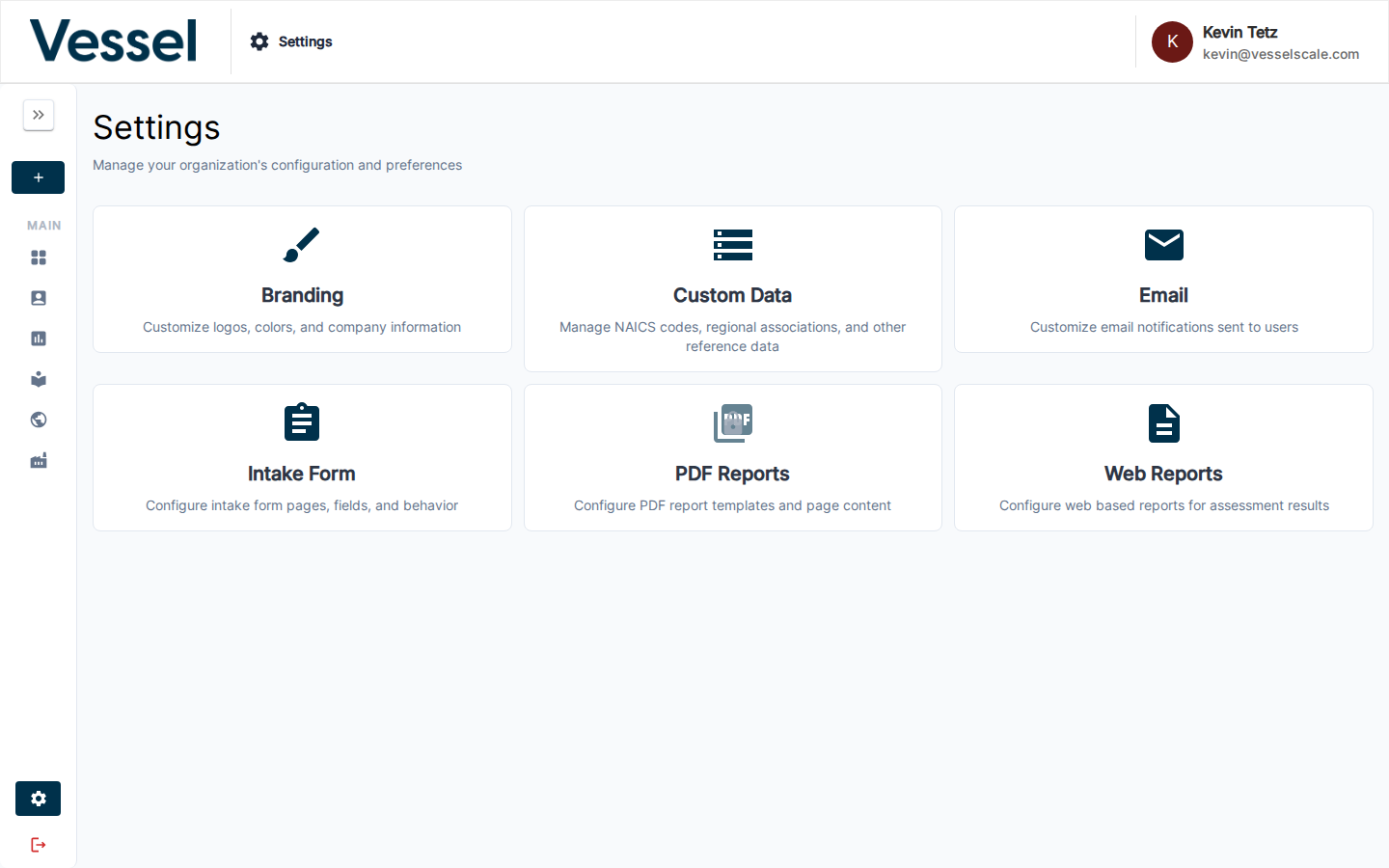
The Settings page provides a centralized location for managing your platform configuration. Administrators can access all available settings, configure branding to match your organization's identity, manage custom data collections, and control platform features. The settings interface is designed to be intuitive while providing powerful customization options for enterprise deployments.
Access
Settings are only available to users with the admin role and require the Settings feature flag to be enabled for your account.
In this section
- Manage Users — invite users, assign roles, and control access
- Permissions & User Roles — understand roles and capabilities
- Branding
- Custom Data
- Email Templates
- Web Reports
- PDF Reports
- Intake Forms
- User Profile