 ChatGPT
 Claude
 Gemini
 Perplexity
Workflow Step 4 — Build Report & Recommendations
Once you've collected assessment responses, analyze them and create a comprehensive report with recommendations for each category.
When to Build Your Report
- At least one respondent has submitted their response
- Assessment status is Results Review
- You've reviewed the responses and are ready to document your analysis
Opening the Report Builder
From the Assessment Details page:
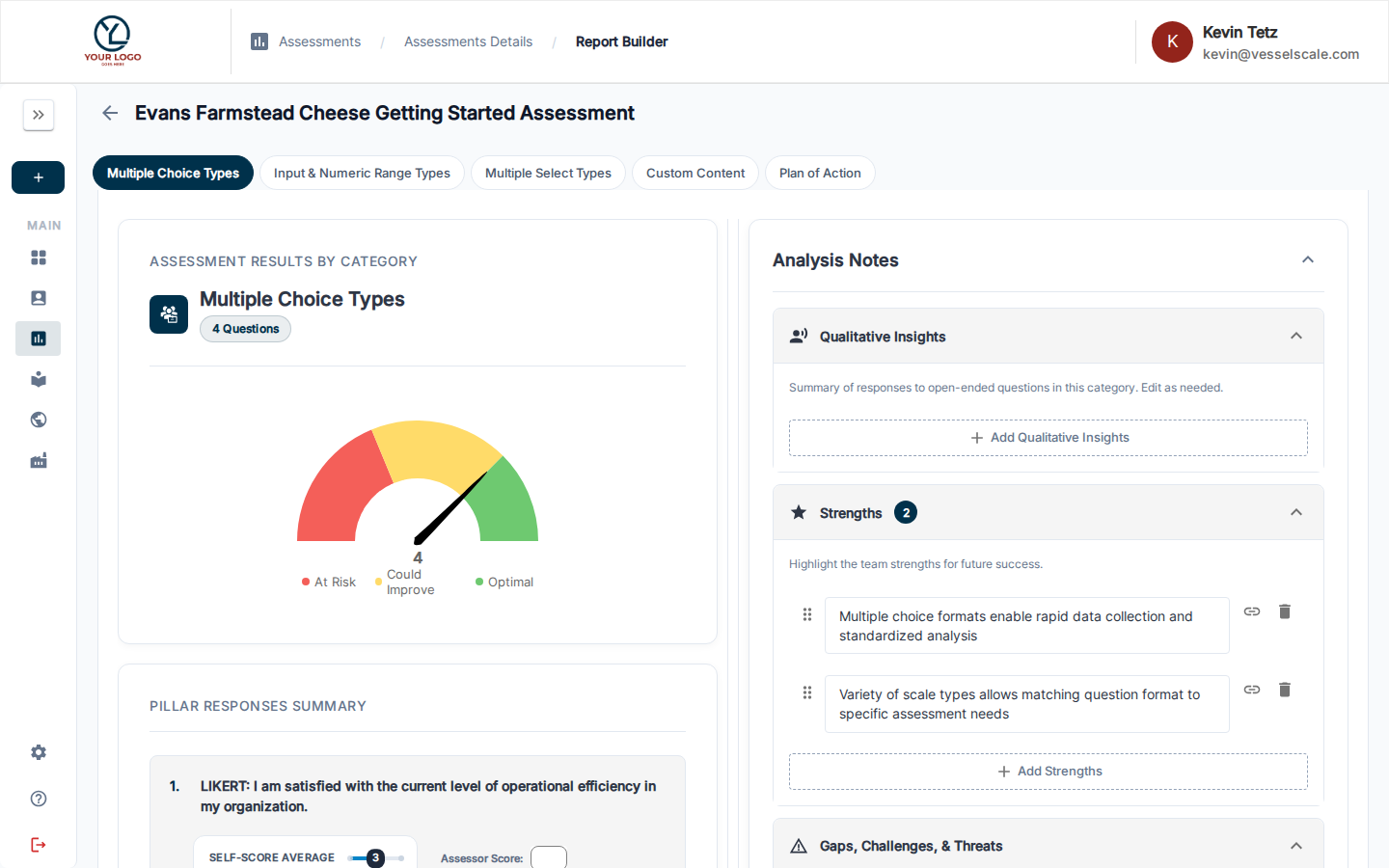
- Look for the Build Report step in the Assessment Workflow Guide card
- Click Review in Analysis Tab or navigate to the Analysis tab
Using AI to Generate Recommendations
The Workflow Guide offers AI-powered suggestions to accelerate your analysis:
- In Step 4 of the Workflow Guide, click Generate Recommendations (sparkle icon)
- The AI will:
- Analyze all responses
- Identify patterns and trends
- Generate initial recommendations for each category
- Review and edit the AI-generated content to match your expertise and insights
Make it Your Own
AI generates a starting point — review, edit, and refine the recommendations to reflect your professional judgment and knowledge of the client.
Manual Analysis Process
In the Report Builder, review each category:
| Element | Description |
|---|---|
| Category Score | Gauge chart showing the score and performance zone (At Risk / Could Improve / Optimal) |
| Question Responses | Summary of how respondents answered each question |
| Strengths | What the client is doing well |
| Gaps & Challenges | Areas for improvement |
| Root Causes | Why these gaps exist |
| Qualitative Insights | Summary of open-ended question responses |
| Plan of Action | Specific next steps and recommendations |
Building Category Recommendations
For each category, document:
- Strengths — What's working well based on the responses
- Gaps & Challenges — Areas where performance lags
- Root Causes — Why these gaps exist
- Plan of Action — Specific recommendations and next steps
Moving to Results Review
When your assessment reaches Results Review status:
✅ All responses are locked — No new responses can be submitted
✅ Report Builder is available — You can now add recommendations
✅ Next step: Close & Share — Once complete, close the assessment and publish results
Next Step
Workflow Step 5 — Provide Results
Related
- Report Builder Reference — Detailed analysis tools
- Assessment Scoring — Understand score calculations
- PDF Reports — Export findings as PDF
- Web Reports — Share interactive reports with clients