 ChatGPT
 Claude
 Gemini
 Perplexity
Directors Dashboard
The Directors Dashboard is a comprehensive analytics and management interface designed for leadership to track organizational performance, ecosystem impact, and strategic initiatives at a high level.
What you can do here
- View executive-level analytics across your entire assessment ecosystem
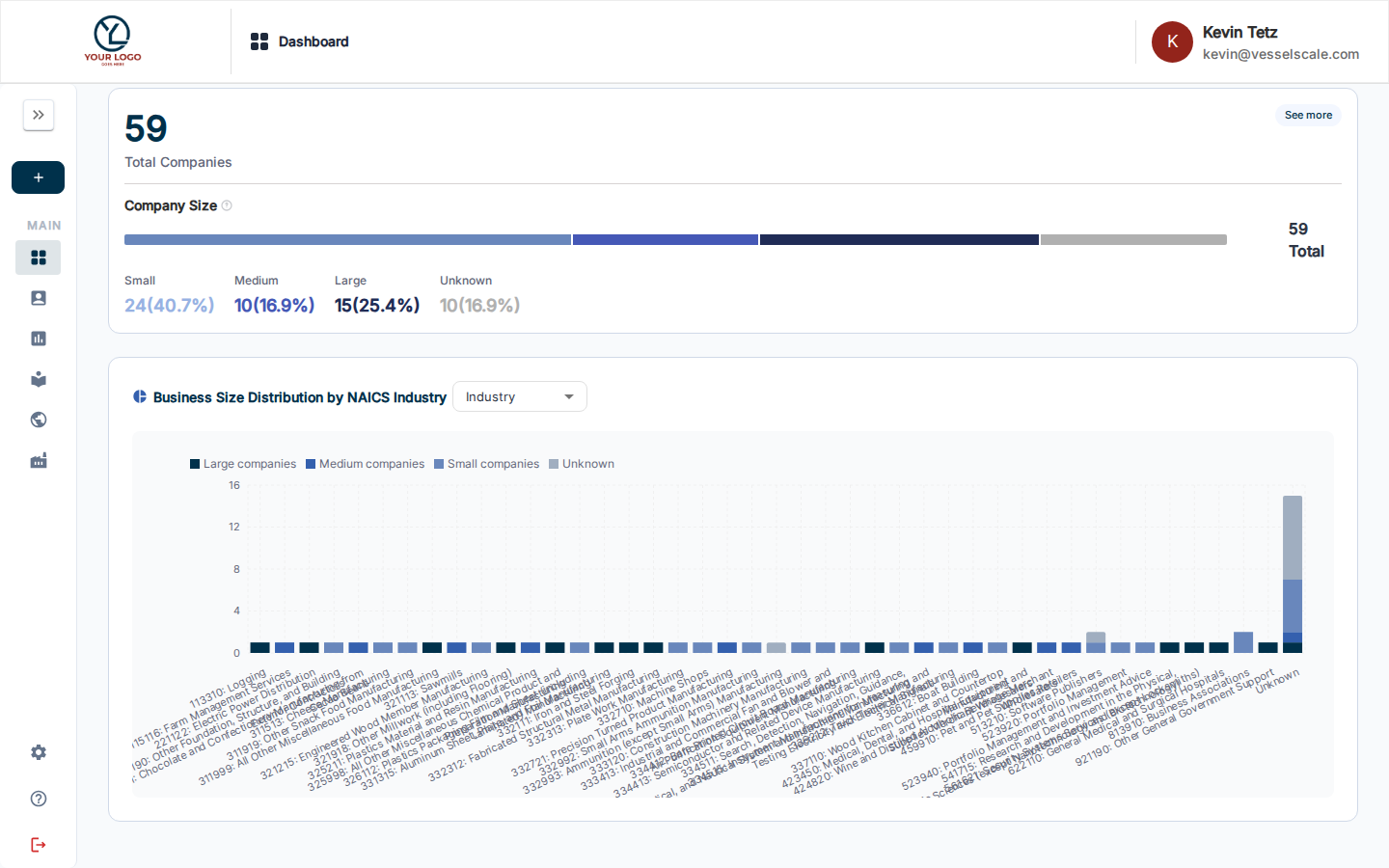
- Track company size and business distribution by industry (NAICS codes)
- Monitor action items and impact metrics from your assessment program
- Access offered solutions tracking and recommendations
- Configure dashboard components for your specific needs
- Export analytics data in CSV or YAML formats for reporting
Accessing the Directors Dashboard
The Directors Dashboard is available from the main Dashboard. Use the assessment definition selector at the top to view metrics specific to assessment types, or access the Directors Dashboard view from your navigation menu for executive summary metrics.
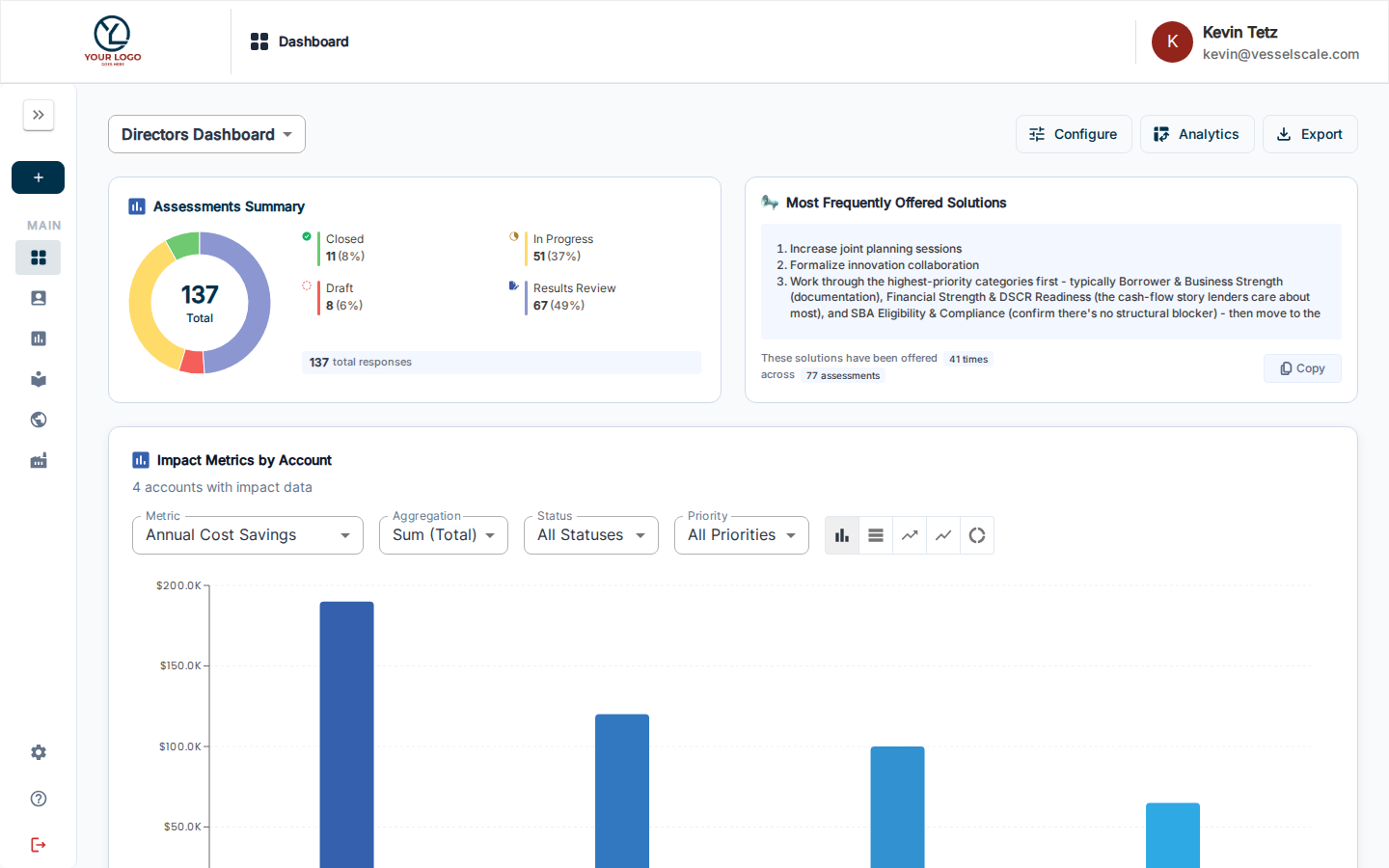
Key Components
Offered Solutions Tracking
View and manage all solutions that have been offered to accounts based on assessment findings. Track: - Solutions identified from assessments - Status and implementation progress - Associated accounts and assessment categories - Impact and business value
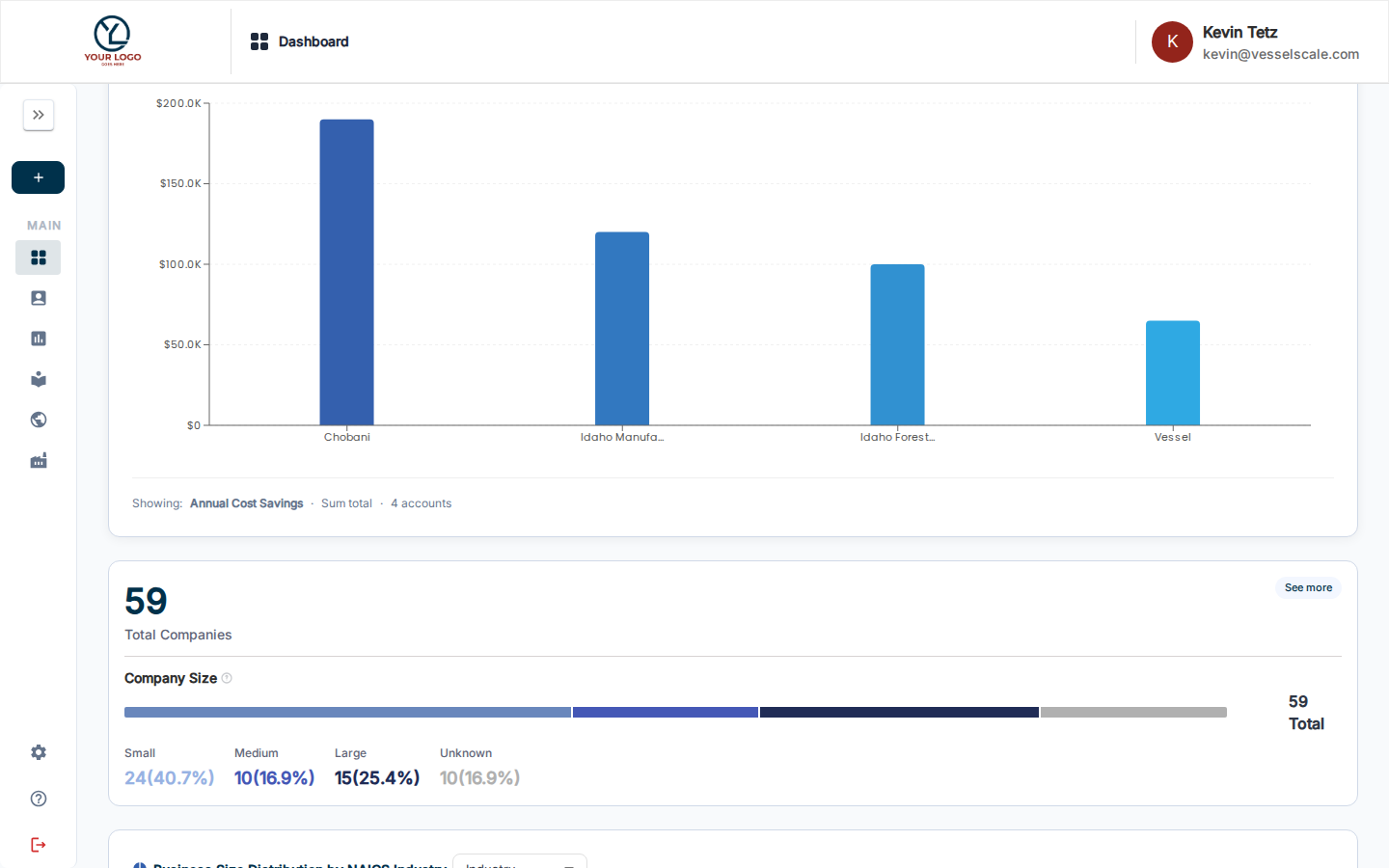
Company Size & Business Distribution Analysis
Analyze your ecosystem composition by: - Company Size Distribution — View breakdown of accounts by company size (employees, revenue, etc.) - Business Size Distribution by NAICS — See industry-specific distribution of businesses in your network - NAICS Code Visualization — Understand your ecosystem's industry makeup and concentrations
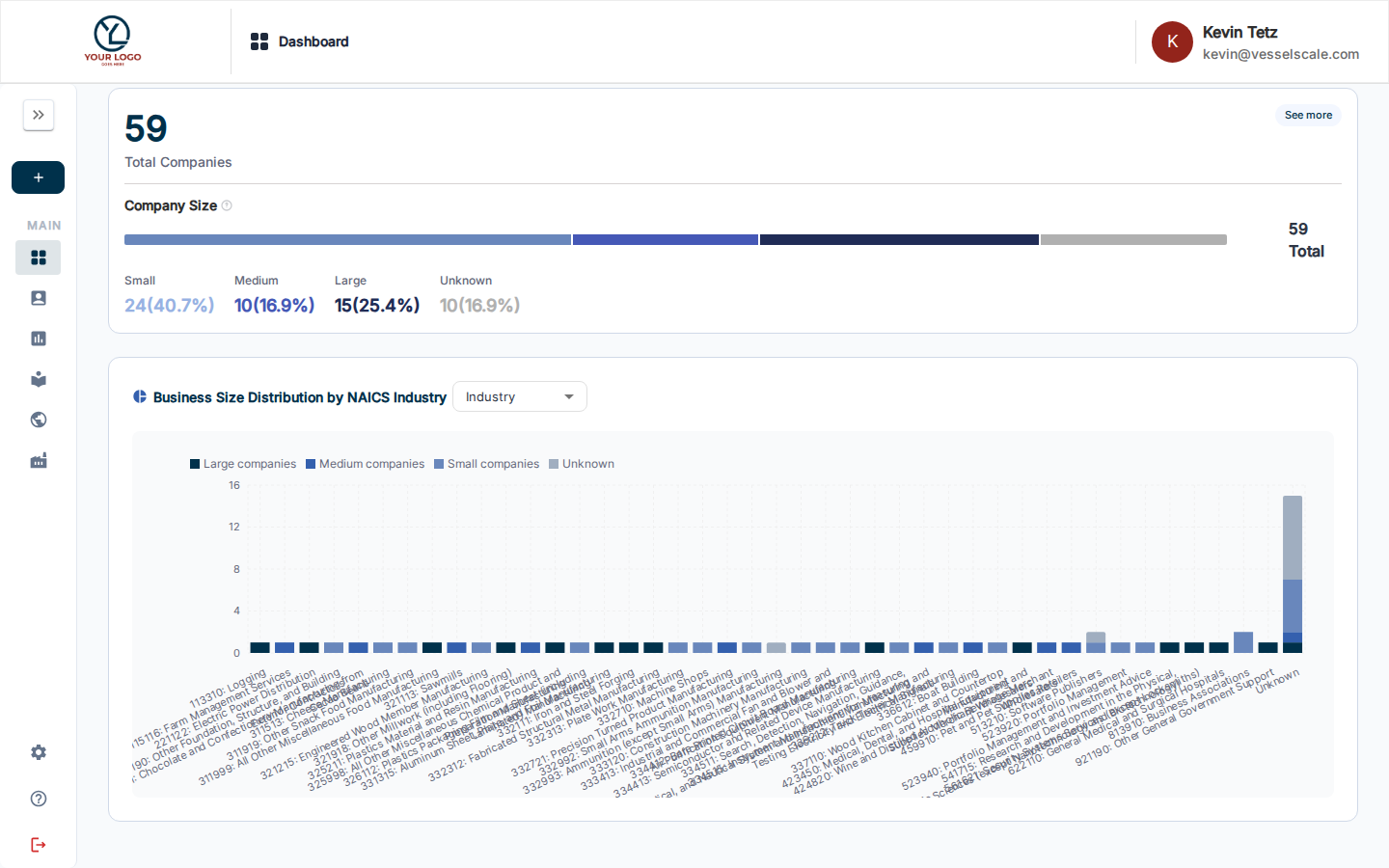
Action Tracker Integration
View aggregated action item data from assessments: - Total action items created - Items by priority level - Status breakdown (Open, In Progress, Complete, Won't Do) - Time to completion metrics
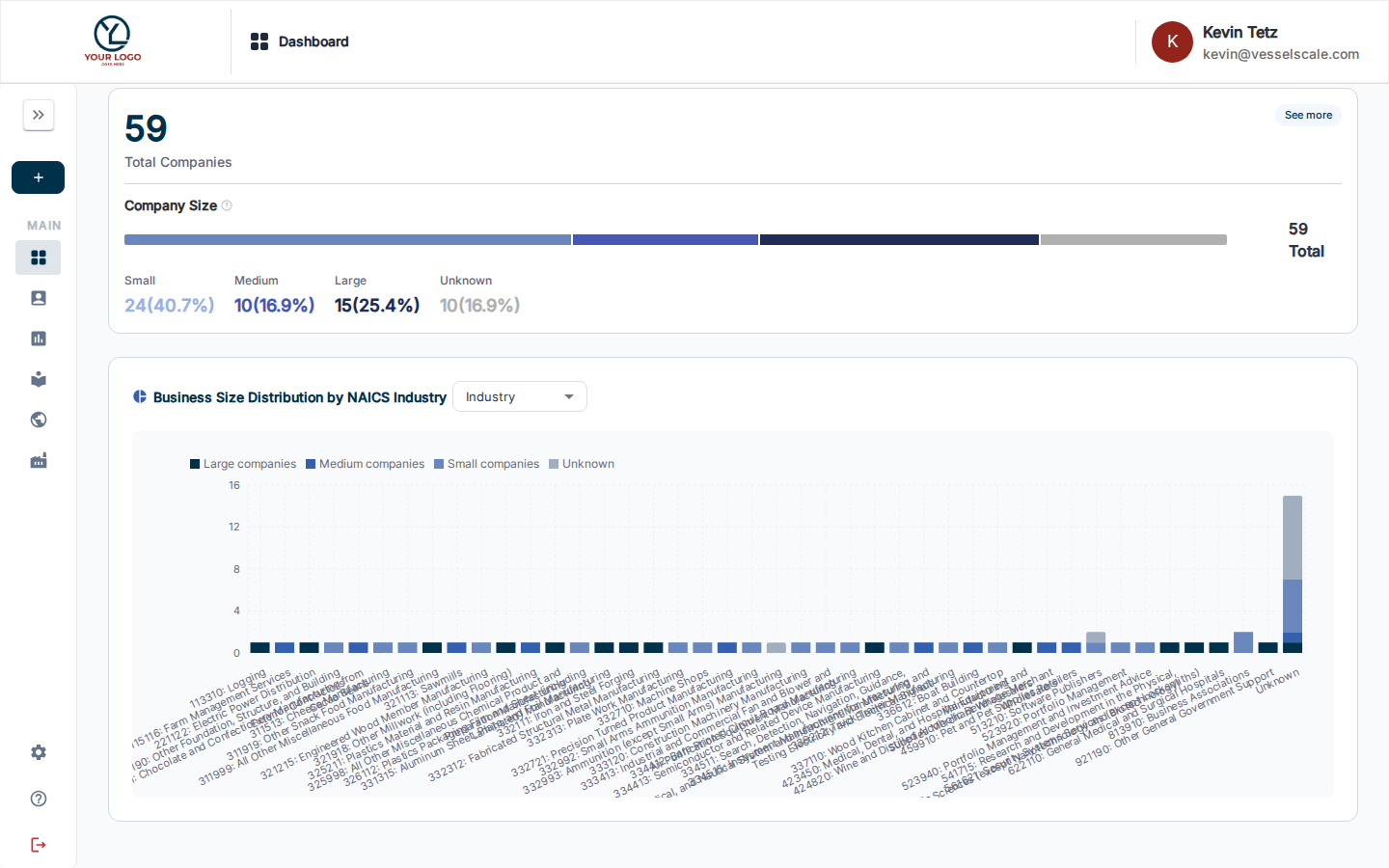
Impact Metrics Dashboard
Executive-level view of impact metrics: - Aggregate impact scores across assessments - Trend analysis of ecosystem performance over time - Regional or industry-specific impact data - Recommendations and insights based on patterns
Configuring the Dashboard
Like the standard Dashboard, the Directors Dashboard supports component configuration:
- Click the Configure button (sliders icon) in the toolbar
- Add or remove components based on your needs
- Reorder components for your preferred layout
- Your configuration is saved automatically
Exporting Analytics
Export dashboard data for external reporting and analysis:
- Click the Download button (download icon) in the toolbar
- Choose your export format:
- CSV — Tabular format for spreadsheet analysis
- YAML — Structured format for system integration
- The export includes all visible components and their underlying data
Best Practices
- Regular Review — Check the Directors Dashboard weekly or monthly to track strategic progress
- Share Insights — Use exported data in leadership meetings and strategy sessions
- Action Items — Create Impact Tracker actions directly from identified gaps
- Benchmarking — Compare your ecosystem metrics against Industry Benchmarks
Help Video
Vessel Dashboard | Directors