 ChatGPT
 Claude
 Gemini
 Perplexity
Library
The Library contains all assessment definitions — the blueprints used to create evaluations across your accounts.
What you can do here
- Browse all available assessment definitions
- View the structure, questions, and status of each assessment
- Create new assessment definitions
- Edit and publish drafts
- Manage parent/child assessment groups
Overview
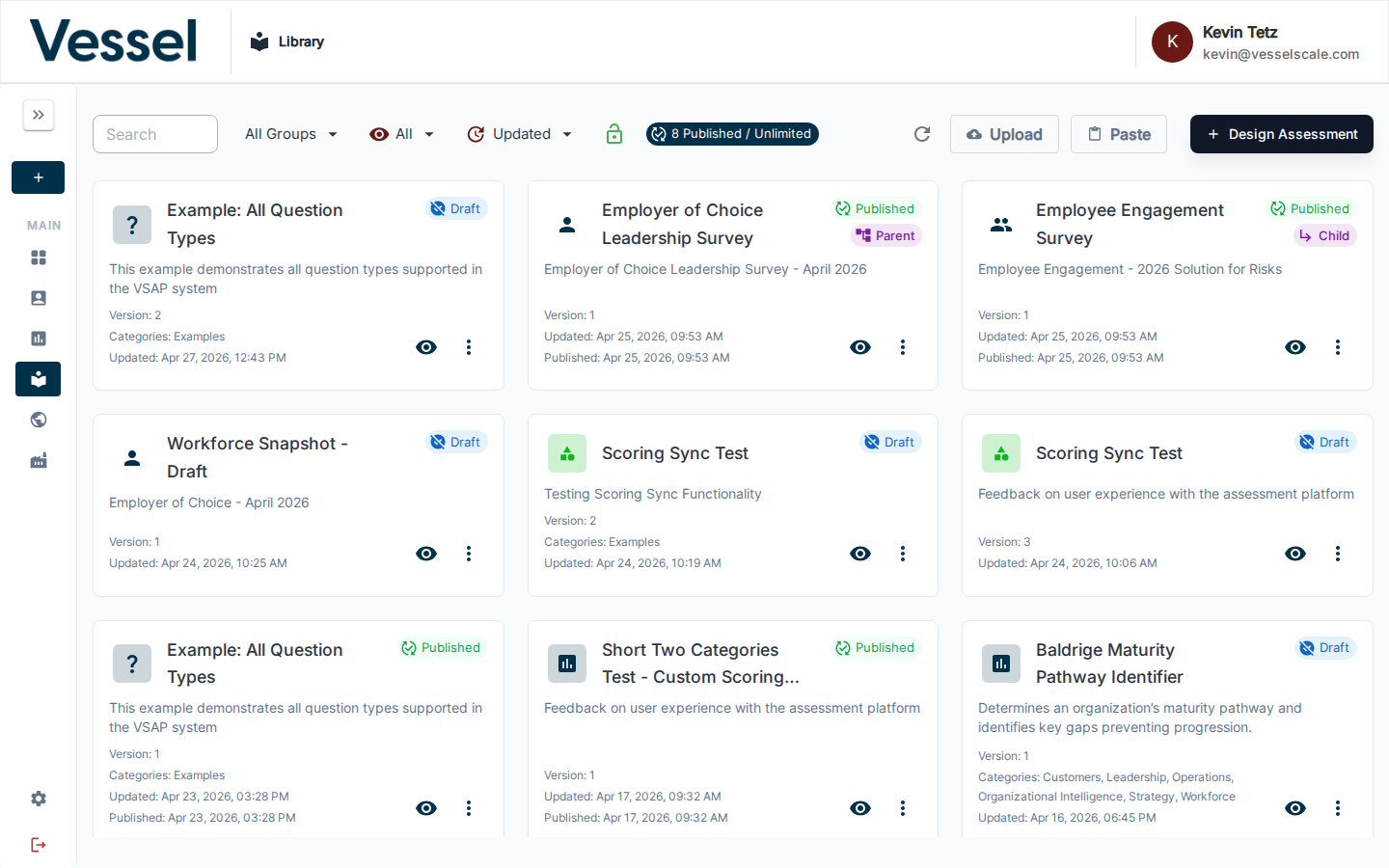
The Library is your central inventory of assessment templates. Definitions here can be in Draft, Published, or Deprecated status and can be organized into parent/child groups for multi-part evaluations. Each card shows the assessment name, icon, status badges, version, and last-updated date.
In this section
- Assessment List — Browse the list, understand card actions, and manage definitions
- Create Assessment — Build a new assessment definition from scratch
- Edit Assessment — Modify an existing definition's YAML, categories, and settings
- Question Types — Reference for all question types and their configuration options
- Scoring — Understand how assessment scores are calculated and displayed
Help Video
Shared Template Library | Overview
Related
- Getting Started: Step 2 — Quick-start guide to designing assessments