 ChatGPT
 Claude
 Gemini
 Perplexity
Legislators
For any geocoded account (one with a verified address), the Ecosystem Map can show the elected officials who represent that business's location.
Accessing Legislators
Open the Account Details panel by clicking an account in the list or on the map. For geocoded accounts, a View Legislators button appears at the bottom of the panel. Click it to open the Legislators sidebar.
Legislators Sidebar
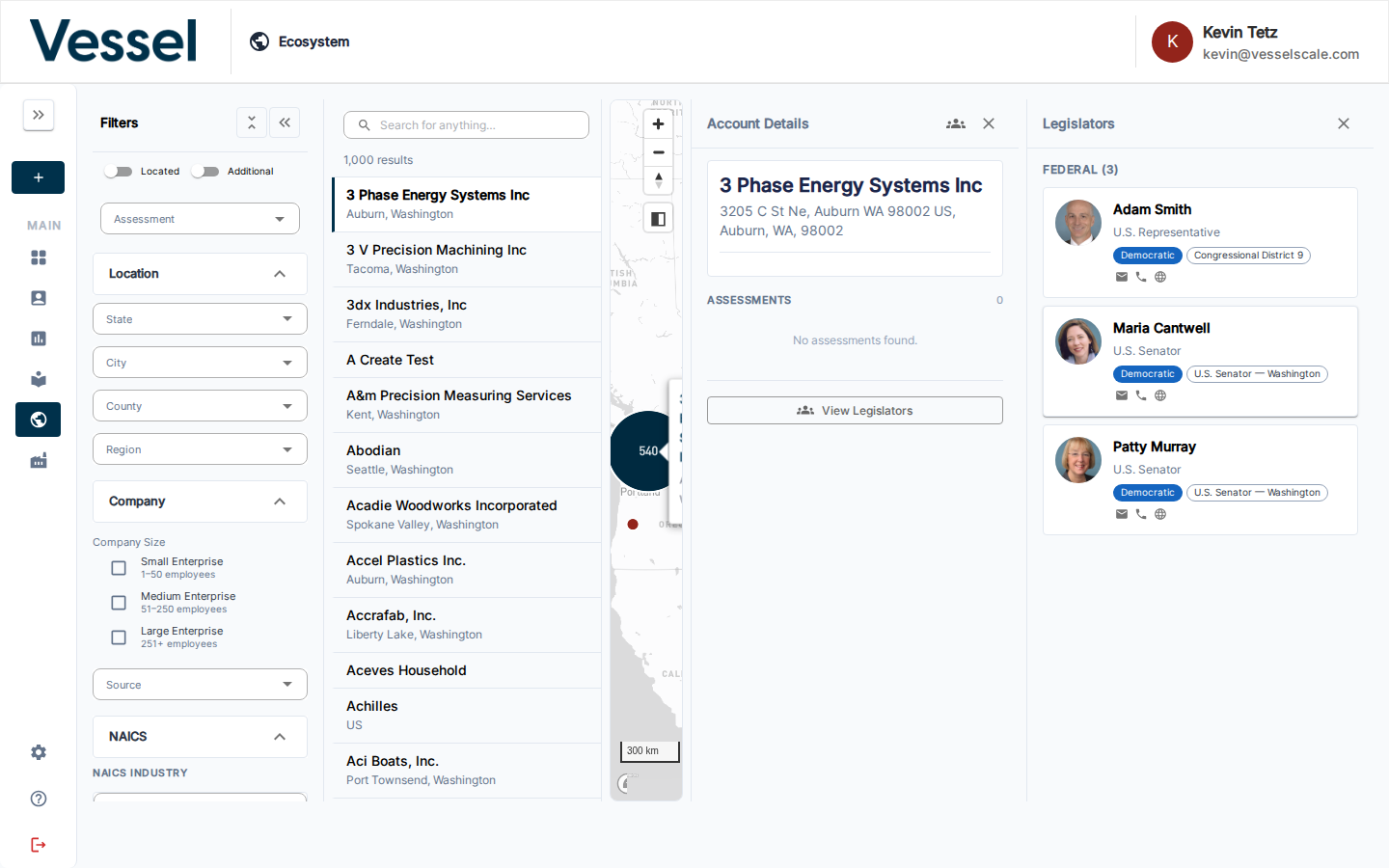
The sidebar shows the elected officials for the account's address, organized into two sections:
| Level | Officials shown |
|---|---|
| State | State Representatives and State Senators for the district |
| Federal | U.S. Representatives and U.S. Senators |
Each legislator card shows:
- Photo
- Title and district
- Party affiliation
- Contact icons (email, phone, website)
Related
- Ecosystem Map — overview
- Account List & Details — open an account to access its legislators