 ChatGPT
 Claude
 Gemini
 Perplexity
Account List & Details
The Ecosystem Map surfaces account information in two places: a scrollable Account List panel and a Account Details panel that opens when you select an account.
Account List
The panel between the Filters and the map shows a scrollable list of all accounts matching the current filters. Each row shows the account name and location. Click any row to open the Account Details panel on the right.
Account Details
Clicking an account in the list (or clicking its marker on the map) opens the Account Details panel on the right side of the screen.
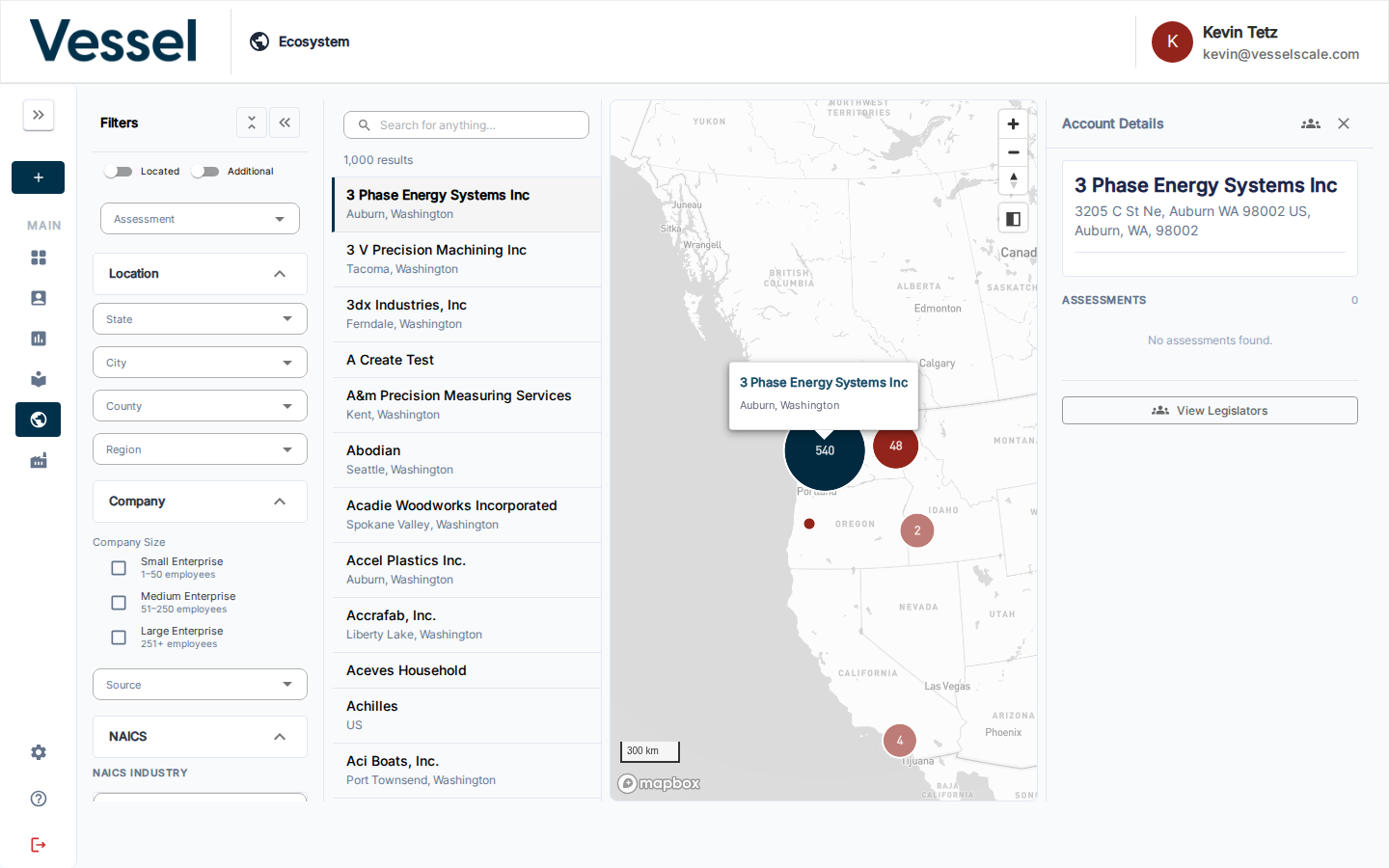
The panel shows:
- Name and address — the geocoded address if available
- Contact email
- Assessments — all assessments sent to this account, with status, dates, response count, and assigned team member
For geocoded accounts, a View Legislators button appears at the bottom of the panel — see Legislators for details.
Related
- Ecosystem Map — overview
- Filters — narrow which accounts appear in the list
- Legislators — view elected officials for any geocoded account
- Accounts — full account management outside the map