 ChatGPT
 Claude
 Gemini
 Perplexity
Step 3 — Create an Assessment
With an account and a Library template ready, create the assessment that ties them together.
Opening the Create Assessment Form
Click + Create → New Assessment in the sidebar, or navigate to Assessments → Create Assessment.
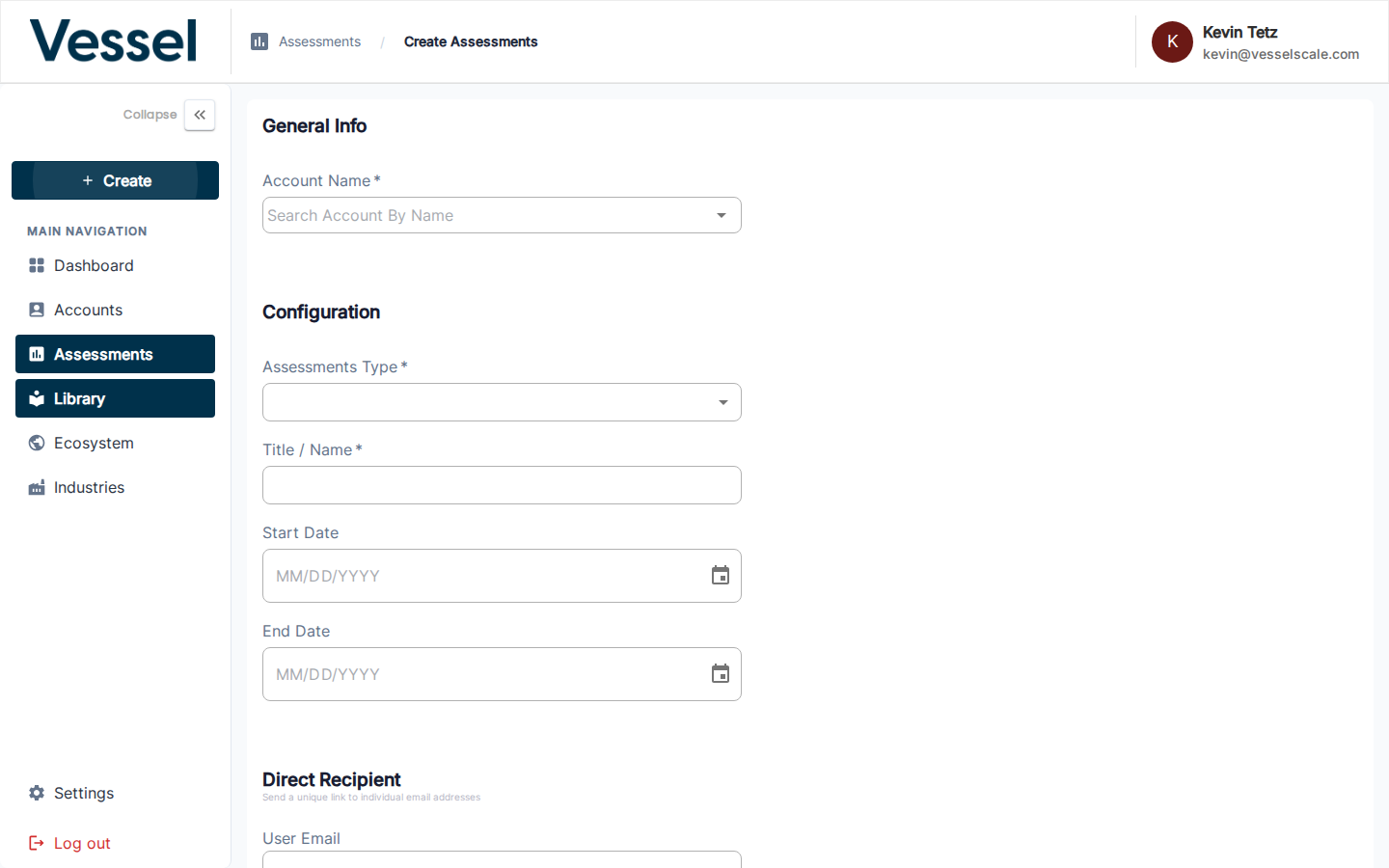
Form Fields
| Field | Description |
|---|---|
| Account Name | Search and select the account being assessed |
| Assessment Type | Choose the Library template to use |
| Title / Name | A descriptive name for this assessment instance |
| Start Date | When the assessment opens for responses |
| End Date | When the assessment closes |
| Direct Recipient | Optional — a specific respondent's email address |
Click Save to create the assessment. You will be taken to the assessment detail page.
Next Step
Related
- Create Assessment Reference — Form fields and options
- Assessment Details — View and manage assessment